
10 Ways to Optimize Music Streaming

UPDATED: 4.1.26
Introduction:
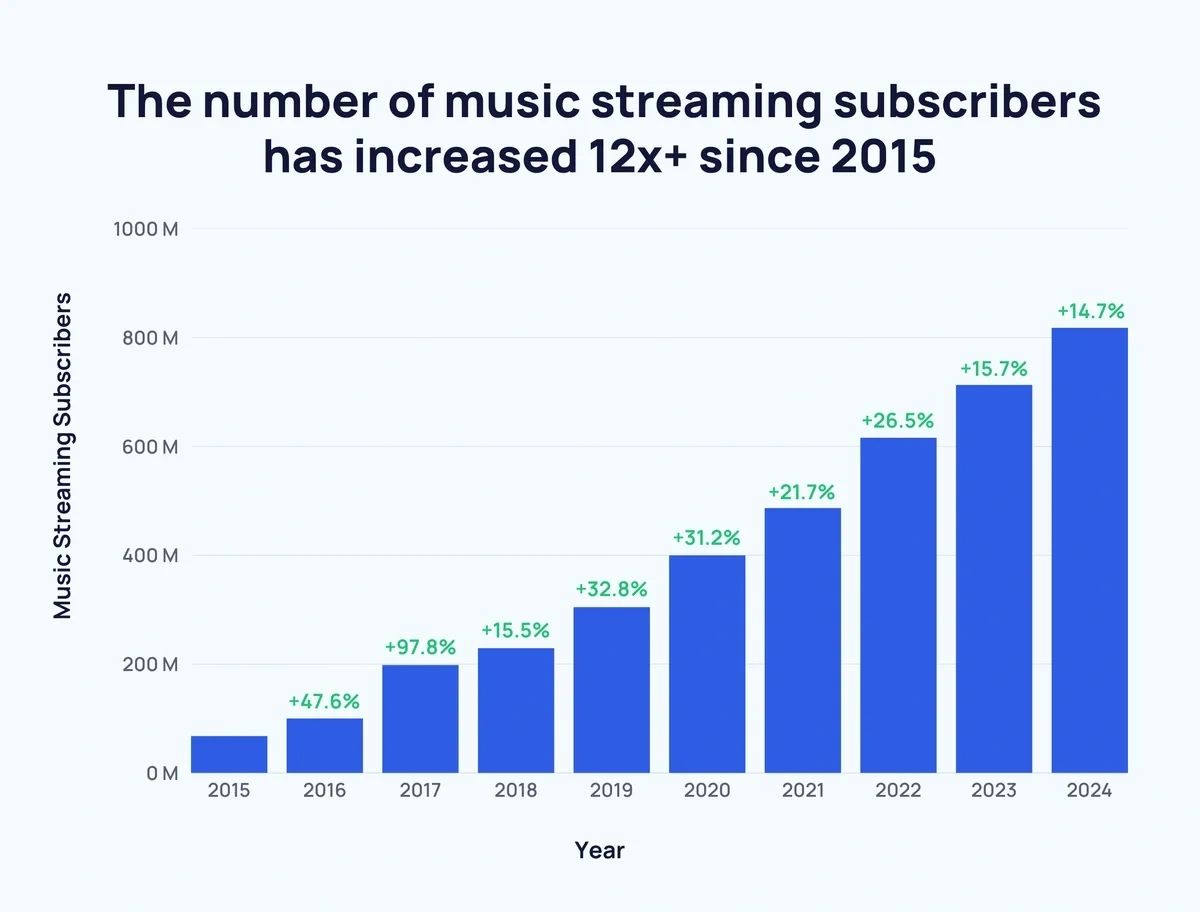
Since 2015 over 12X the number of people have subscribed to paid streaming services. With over 400 million songs available online, the convenience of streaming has made it the #1 choice for most music lovers.
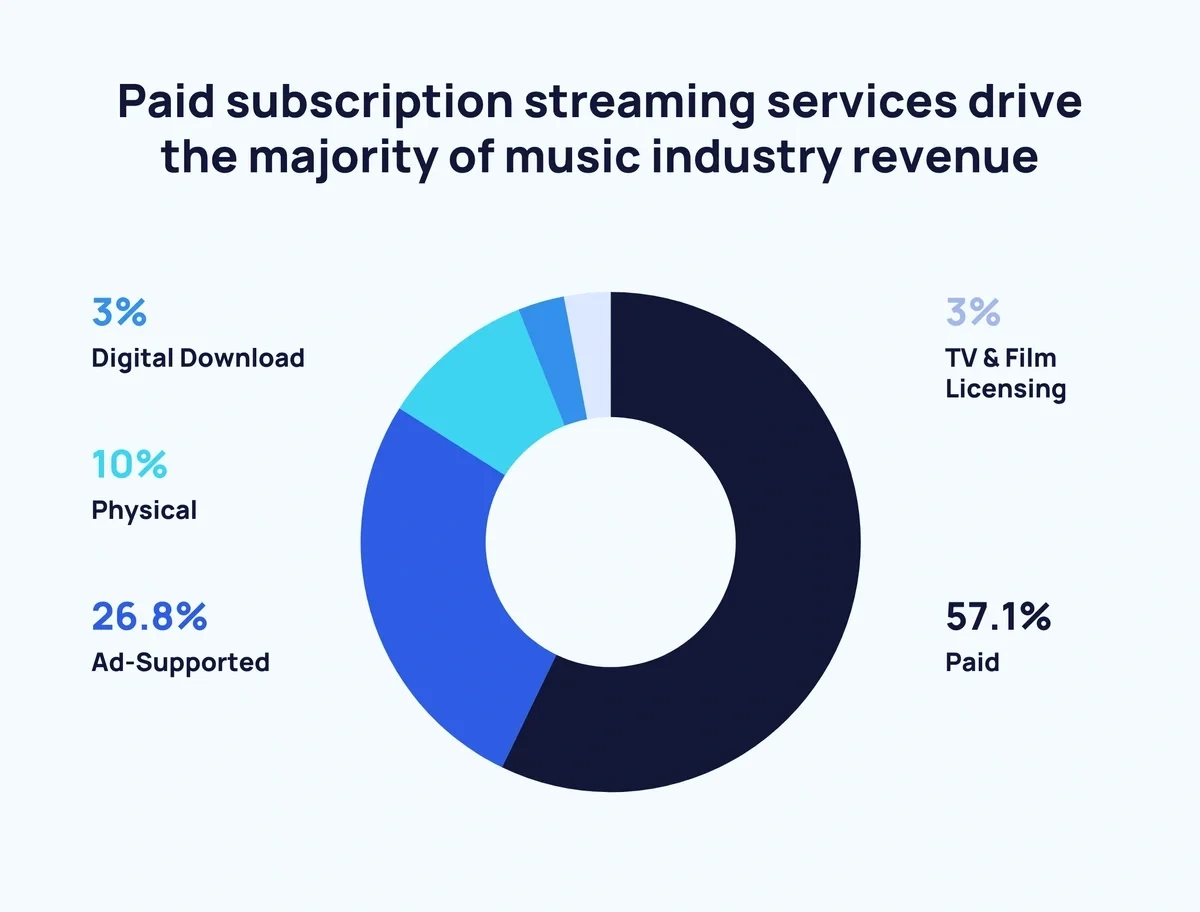
Over 57% of all revenues in the music industry come from paid music streaming services. In 2025 this exceeded $22 billion and it is expected to exceed $28 billion in 2026.
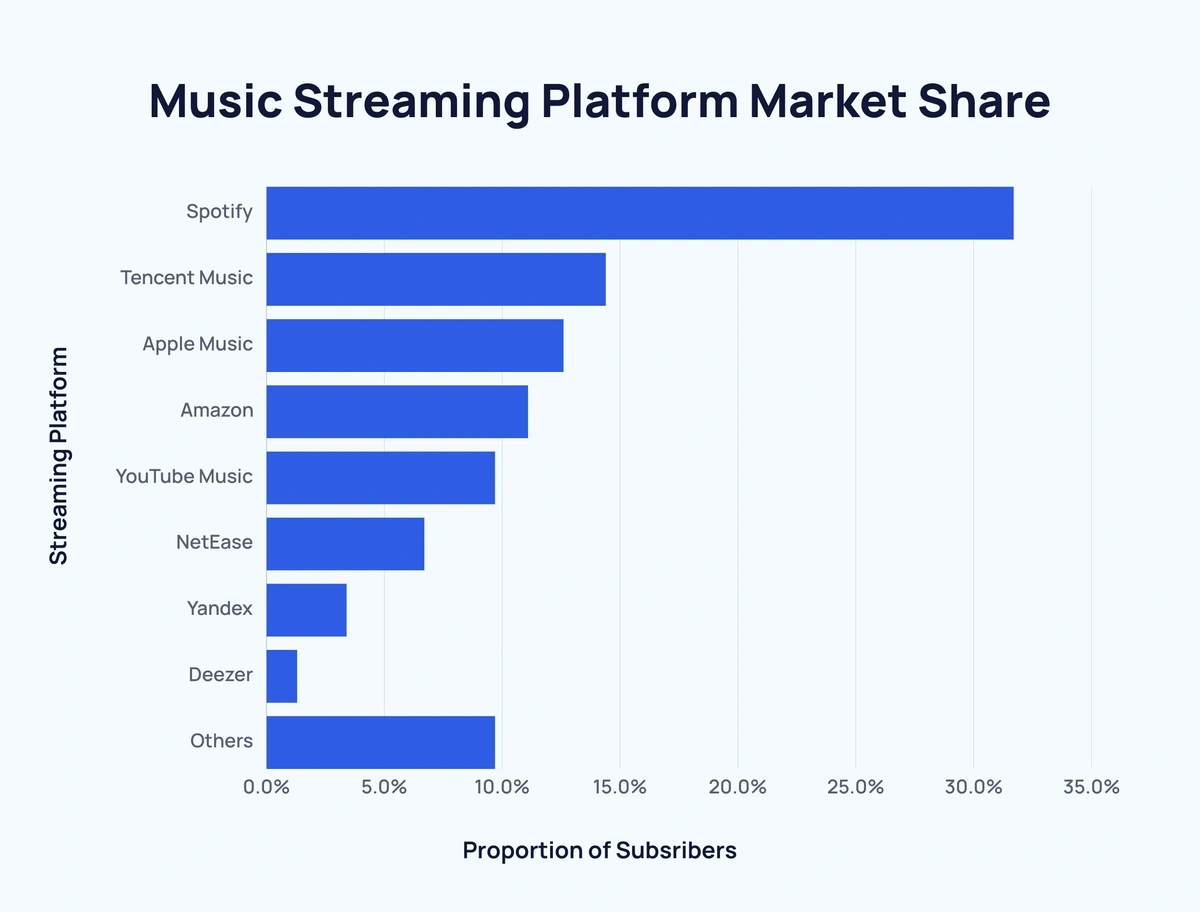
Nearly 33% of those revenues came from Spotify, nearly 13% from Apple, over 11% from Amazon, and almost 10% from YouTube. Interestingly enough, the revenues from audiophile services like Tidal and Qobuz don't even make up 2% of the total market.
With high-speed internet being the norm, if done correctly, the sound quality of streaming music can be almost indistinguishable from the same recordings played from a local library. Every Link in the Chain Matters. This blog will help you identify the weak links in your signal path so that you can get the best possible sound quality streaming your favorite music.
#1 Music Streaming Services:
Different streaming services have more of a selection of certain obscure genres of music than others. And for many of us the music selection is all that matters. For those of us who find most streaming services have most of the music we like to listen to, and who are trying to get the best sound quality, I recommend not falling for the trendy debates as to which streaming service sounds empirically better than another.
The sound quality of a specific streaming service in your home has more to do with just the quality of the recording and the specific hardware being used by that streaming service. Different services can have significantly different sound quality from one geographic location to another, from one internet service provider (ISP) to another, and even from one time of day to another.
I’ll get into that whole time of day thing when I discuss ISPs. For now let’s focus on streaming services.
Though many people find audiophile services like Tidal and Qobuz sound better than mass-market services like Spotify, Apple, or Amazon, that's not always the case. And though you may read definitively in this or that forum that one service sounds better than another, there are several factors that contributed to these often contradictory points of view.

I wouldn't recommend believing anyone who claims that one streaming service sounds empirically better than another. Rather I would suggest that you compare different streaming services in your home at different times of day and then draw your own conclusions.
As I explain some of the other factors that can contribute to the sound quality of streamed music you will begin to understand why sound quality is far from just a matter of choosing the right streaming service.
#2 Internet Service Providers:
Though higher download speeds may seem to be important when selecting an ISP, it is actually one of the least important factors. Modern ISPs have more than enough bandwidth to handle HD music streaming. Consider that all ISPs can handle HD movies which contain the significantly larger video portion along with multiple channels of HD audio. By comparison two channels of HD music use relatively little bandwidth.
Though things like the quality of an ISPs infrastructure and the consistency of their performance during different times of the day are important, what is significantly more important is the specific brand and type of hardware each ISP can use in your home. Some use better hardware than others. Some have the option to use various brands and types of aftermarket hardware. Some can be upgraded with a plug-and-play power supply upgrade. And others can do few or none of these things.
Let's start with what takes place outside of your home. The music travels quite a long distance between your streaming service and your home. Consider things that degrade performance such as how much their data lines are being subjected to EMI or RFI. And consider factors like corruption of the AC power used by their distribution nodes. In some neighborhoods DSL could sound better than optical. Or any ISP could sound better or worse during different times of the day.
The infrastructure between you and a streaming service and factors in your specific neighborhood may explain why you may prefer the sound of one ISP or one streaming service over another. Consider one streaming service might be west of your city that is all farmland and the other might be east of your city that is all industrial. It's not the streaming service but rather the route the music is traveling that cause the difference in performance. This is the reason why experienced audiophiles may have totally different opinions as to the sound quality of different ISPs and different streaming services.
Now let’s talk about things inside of your home. The performance of your modem, router, and their power supplies makes, a significant difference in sound quality. One ISP may have a significant advantage over another simply because there are more options to use higher quality modems, routers, and power supplies with their service. Whereas with some services you are locked into hardware that is powered with an internal switch-mode power supply (SMPS). Having the ability to upgrade the "wall wart" SMPS of your modem/router with a plug-and-play linear power supply (LPS) is one of the most significant things you can do to improve music streaming performance.
I’ll get into modem, router, and power supply upgrades later in this blog. Let’s get back to ISPs.
Another significant consideration and one of the more undefinable factors is the bandwidth in your area. Cable internet is a “party line” where you're sharing bandwidth with your neighbors. In some neighborhoods, such as older neighborhoods with old infrastructure or high-density apartment complexes or residential neighborhoods that share bandwidth with commercial areas, you may hear a notable difference in sound quality during different times of the day.
Read the fine print in the contract from your ISP: it clearly states “up to...” a certain download and upload speed and never guarantees those numbers.
I used to live in a place where low performance DSL sounded better than high-speed cable internet. In that neighborhood cable internet notably slowed down and sound quality suffered from 2pm when kids got out of school to about 10pm when most people went to sleep. And when I moved to a different neighborhood only a few miles away the same ISPs had totally different performance.
#3 Local Area Networks:
Let me start by mentioning the biggest of all music streaming faux pas: streaming through the Wi-Fi on your Local Area Network (LAN). Simply don’t do it.

I’ve run into quite a few audiophiles who had systems that cost more than their cars who didn’t realize how much sound quality they were losing because they were streaming through Wi-Fi. One of the biggest improvements they experienced was when they paid a modest fee to have their ISP relocate their modem to a room that would allow them to use an Ethernet connection to their streamer.
Now for hardwired LAN issues...
Though the download speed of your ISPs service and modem may be more than enough to handle your kids playing online video games and your wife watching Netflix while you’re streaming music, the act of your modem “juggling” data streams will degrade sound quality.
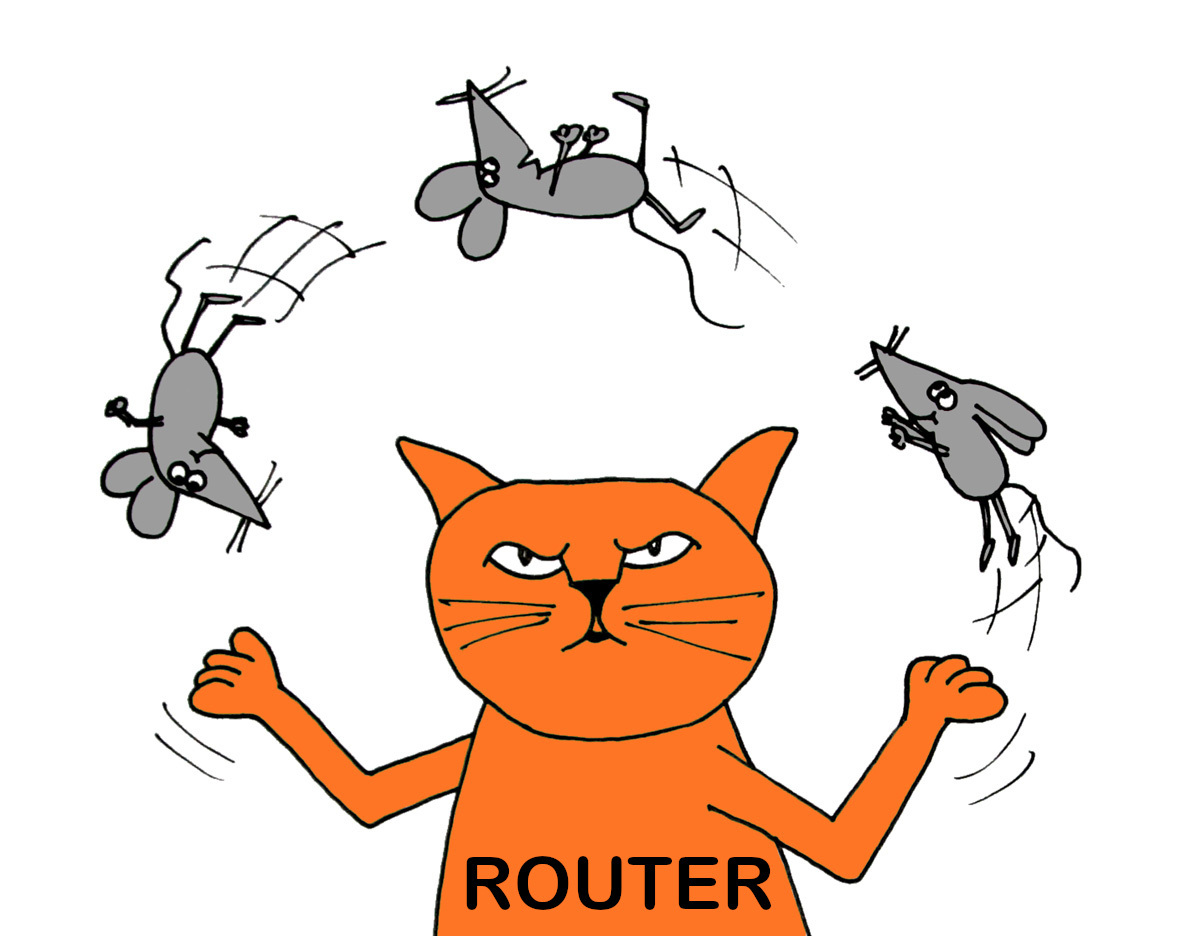
Even if you live alone you don’t want to download anything while you’re doing critical listening. And if you don’t live alone, you may want to consider a dedicated modem just for streaming music. And no matter how much isolation you may have you can always improve sound quality with better hardware.
#4 Modems, Routers, and Wi-Fi:
Most ISPs offer a single component that performs the functions of a modem, router, and Wi-Fi. None of these components are audiophile grade. Often the components your ISP provides can be upgraded with consumer or commercial quality components. You may hear how using commercial grade networking components improved a person's sound quality. Yes, commercial components will often sound better than the stock "all-in-one" modem/router/WiFi you got from your ISP. But in most cases they won't sound as good as even the cheapest consumer grade components that have been upgraded with an linear power supply (LPS).
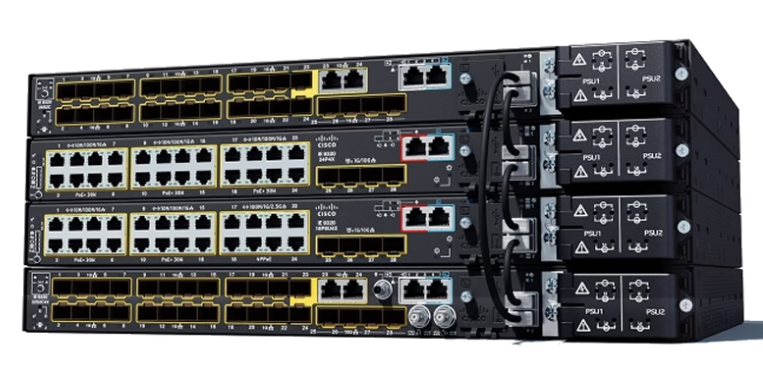
Commercial networking components have higher bandwidth but that's not required to stream music. Aside from the stratospheric price another problem with commercial components is they have integrated SMPS. In order to upgrade the SMPS you'd need to perform surgery to remove and bypass it. And if you modify the power supply you'll void the warranty. I'm not saying this wouldn't be worth the time, trouble, and expense, just that as with most things in high-end audio, this would be another case of diminishing returns.
There are modest priced consumer quality components that are known for providing excellent sound quality. Since these components change from year to year, and since the compatibility of these components differ from ISP to ISP, this would be something you would need to research on audiophile forums.
But one thing that always holds true is to isolate your wired and your wireless components. Using a consumer grade modem or modem/router without Wi-Fi and plugging in a dedicated Wi-Fi component is always recommended. And always make sure to keep a bit of distance between your wireless and your wired components and your digital and analog components.
Here's a great bang-for-the-buck upgrade: even if you don't upgrade any components in your ISPs stock modem/router/WiFi but just plug the stock "wall wart" SMPS into an extension cord or power strip that is moved a distance from your analog components it will often improve sound quality.
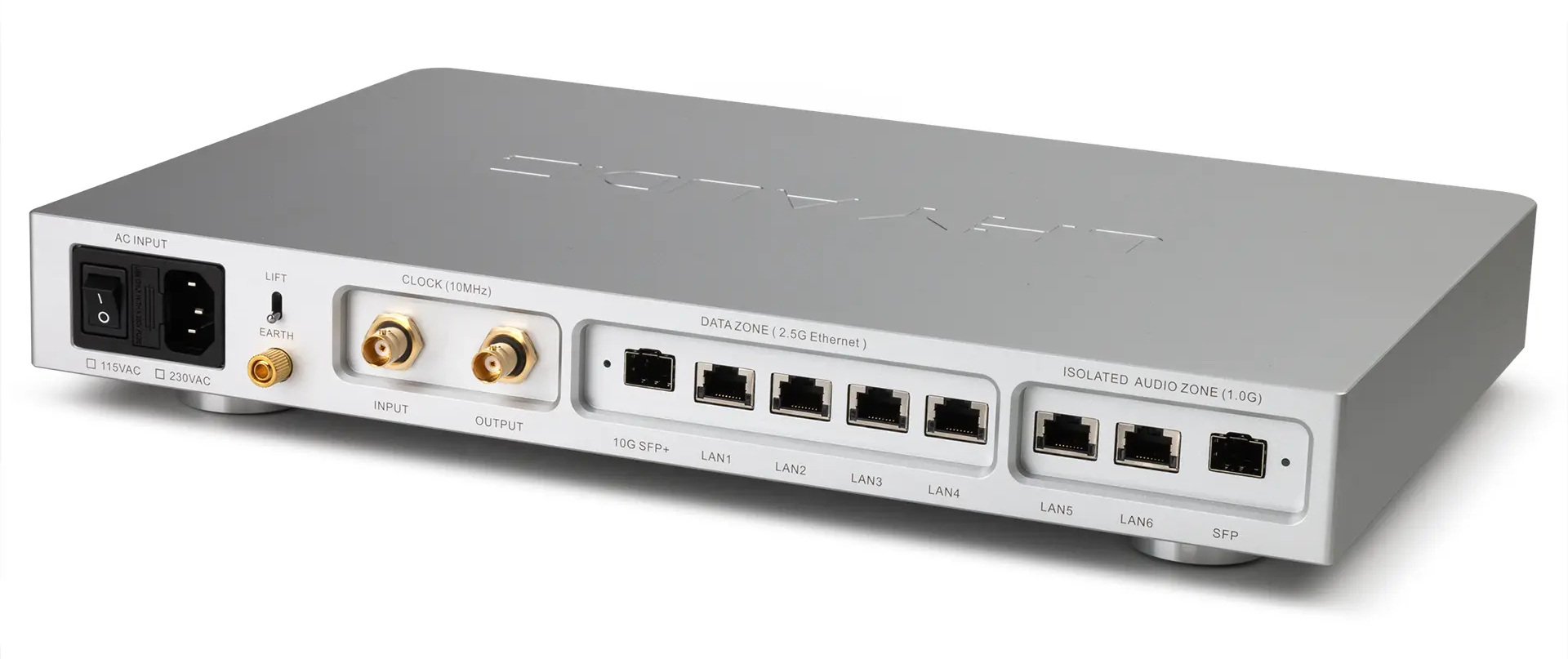
There are also modest priced audiophile switches from companies like LHY. Some of these networking components not only improve the sound quality of Ethernet but also have SFP optical that would allow you to run optical cable in your home. Some are optically isolated or convert Ethernet to optical. A nice benefit of optical cable is that it is not susceptible to EMI and RFI noise. Ethernet cable can act as an antenna and pick up all sorts of EMI and RFI noise. Or the cables could pass by transformers or compressors that radiate noise. In some homes this makes a huge difference. In other homes the difference is not audible. Don't just assume that optical cable will sound better. It is quite location and infrastructure dependent.
Another nice option with these SFP optical devices would be to interface them with a high-performance network audio adapter like the Optical Rendu. No need for a dedicated optical interface or a server/streamer with an optical card.
Upgrading the "wall wart" or internal SMPS with an LPS will make the most notable improvement in sound quality. For most people I would recommend using modest priced consumer grade components upgraded with a plug-and-play LPS. This wouldn't require any technical expertise and wouldn't void the warranty.
#5 Power Supplies:
The “wall wart” and internal SMPS that come with most modems, routers, switches, NAS drives, reclockers, and mini computers, are the weakest links in your digital signal path. These SMPS create “hash noise” that get into the ground and radiant noise that pollute other components in your system. Even using the most basic LPS, like an SBooster, will significantly improve sound quality.
Of course simply isolating these SMPS from your analog components can make an audible improvement. Using different dedicated AC lines or different AC filters and keeping these SMPS or components that contain SMPS physically away from your analog components will minimize the effect of EMI, RFI, and hash noise.
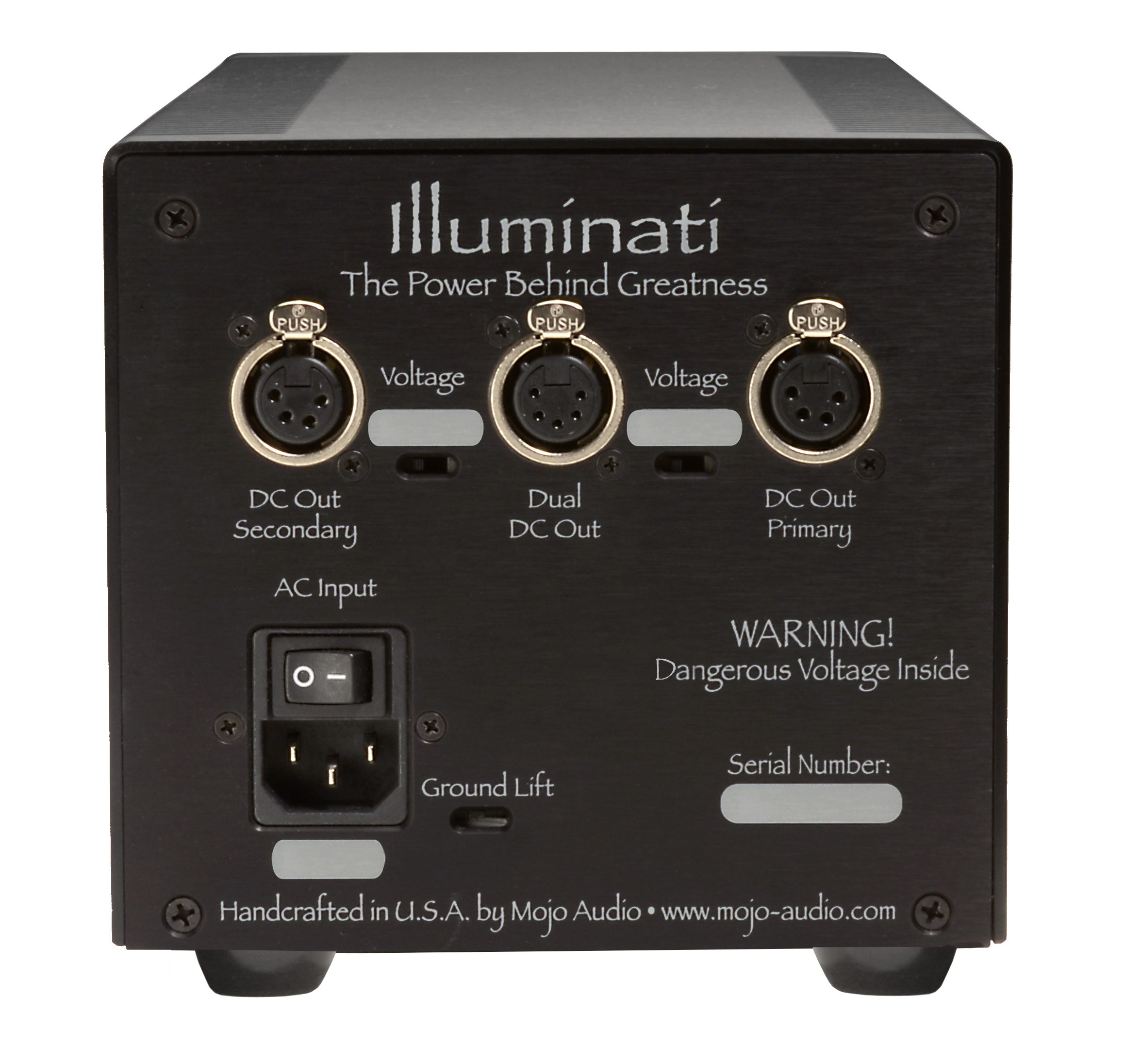
Companies like Mojo Audio make high-performance LPS with multiple outputs that can be used to power multiple components simultaneously. By the time you spend $500 each on lesser performance LPS you could buy one high-performance LPS and power several components. Powering multiple components with one LPS will not only reduce the number of power cables and AC receptacles you need but will also eliminate potential ground loops.
#6 Cables:
Proper shielding from external influences, proper shielding between power and data wires, optimal conductivity, inductance, and capacitance, are all factors that can minimize corruption in your data stream.
Don’t confuse buffering, reclocking, and regenerating with error correction. Just because the data has been regenerated or reclocked doesn’t mean corrupted bits in the data stream have been corrected. Because few audiophile components correct corrupted data cables play a very important role.
Here’s a simple test to determine whether or not two components in your system have error correction: If they have error correction they will sound identical connected with a $20 cable or a $2,000 cable.
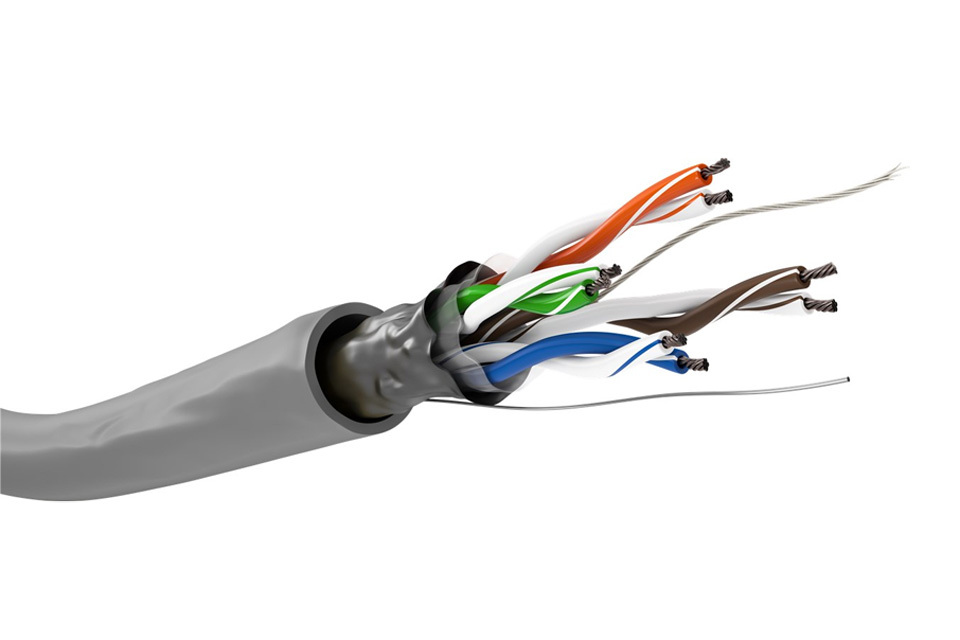
Don’t confuse price with performance. There are quite a few USB and Ethernet cables you can buy direct from the manufacturer for under $100 that sound better than big-name audiophile cables that sell for over $1,000. We did a comparison between some expensive audiophile Ethernet cables and a standard CAT8 Ethernet cable we paid under $10 for on Amazon. The $10 cable sounded notably better than audiophile Ethernet cables that sold for over 30 times the price. How is this possible?
Most big-name audiophile cable manufacturers have at least a 300% mark up on their cables. The reason for this is the retail stores want to be able to “build the sale” by convincing their customers that if they buy cables with their system they can offer them some amazing discounted price like 50% off. Of course even discounting the cables by 50% the store still makes a huge profit.
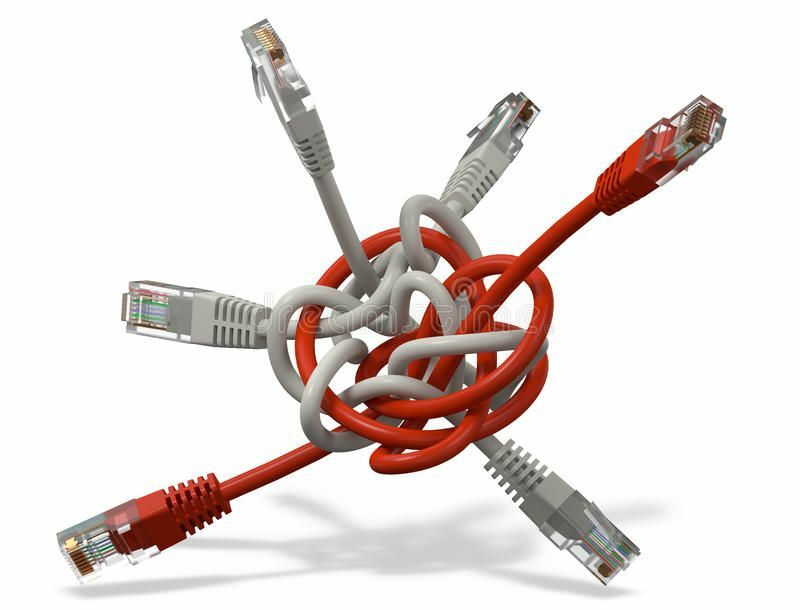
Next consider the cost of fancy connectors and coverings, fancy packaging, and full-page ads in audio magazines. With big-name audiophile cables most of what you're paying for have no effect on performance.
Before spending big bucks on cables from manufacturers who take out full-page ads in audio magazines I recommend comparing them with well-made commercial, pro audio, and direct-sale cable manufacturer's products. You may be quite surprised at what you hear.
#7 Player Software:
Most streaming services have their own free downloadable player software and most can be played through web browsers. These free players may give you access to all the features and recordings a streaming service offers, but they don’t necessarily deliver the highest sound quality.
High performance player software companies, such as Euphony Stylus, Roon, HQ Player, JRiver, and JPlay, have the ability to embed streaming services into their players to provide higher sound quality. Some even offer additional features and web radio in addition to playback from local music libraries. In addition to higher performance digital engines, these audiophile players often have advanced digital signal processing (DSP) such as file format conversion, upsampling, dithering, and digital EQ.

One of the reasons Roon is one of the most popular players is because of how well it integrates Tidal and Qobuz with web radio and playback from any storage on your network. By comparison HQ Player is nowhere near as user friendly as Roon and HQ Player can only integrate Qobuz (no Tidal). But HQ Player has one of the highest performance digital engines and offers advanced DSP such as dithering and upsampling.
Our favorite player software in recent years has been Euphony Stylus. Not only does Euphony come integrated with an optimized and minimized RAM-root Linux operating system, it comes integrated with Roon, HQ Player, Tidal, Qobuz, and YouTube. That means Euphony has tested a version of those various players and you can be assured of no glitches or conflicts. And each of those players sound notably better playing through Euphony's optimized Linux than through any operating systems we've heard.
Since we've started recommending Euphony to our customers we've not had a single issue or conflict: rock solid consistent performance. And 100% of our customers tell us that they prefer the sound of Euphony by itself than with Roon or HQ Player embedded into it. Sure, you get more features when you embed Roon or HQ Player, but the sound quality of Euphony by itself has led 100% of our customers to drop their former favorites and just use Euphony. I think that says it all.
Of course you mileage may vary. Since most of these players offer free trial versions I recommend comparing them side-by-side on your hardware. But remember that it is not just the specific player that determines the sound quality, but also the way you set up that player software.
#8 Software Settings:
Settings in your software can limit your resolution, convert music formats, or automatically upsample. Make certain to review all the settings for your player software and operating system. Often these settings are hidden or duplicated between player software and operating systems so it may require a bit of research.
One thing that will reduce sound quality would be if you incorrectly use upsampling. Only upsample to even multiples of the original recording. When you upsample to an odd multiple it requires interpolation which degrades sound quality. So upsample 44.1Khz to 88.2 or 176.4 or 352.8Khz not to 96, 192, or 384Khz.
There are other settings which may appear to be counter intuitive in some situations. For example, streaming HD files theoretically should sound better, right? Not always. Many songs that are so-called HD on streaming services are poorly upsampled 16/44.1Khz recordings. And many HD versions of songs don’t sound as good as the original 16/44.1Khz version. And if you have bandwidth issues with your ISP or in your LAN a lower resolution 16/44.1Khz recording may have better musical flow or emotional expression than an HD version of the same song.
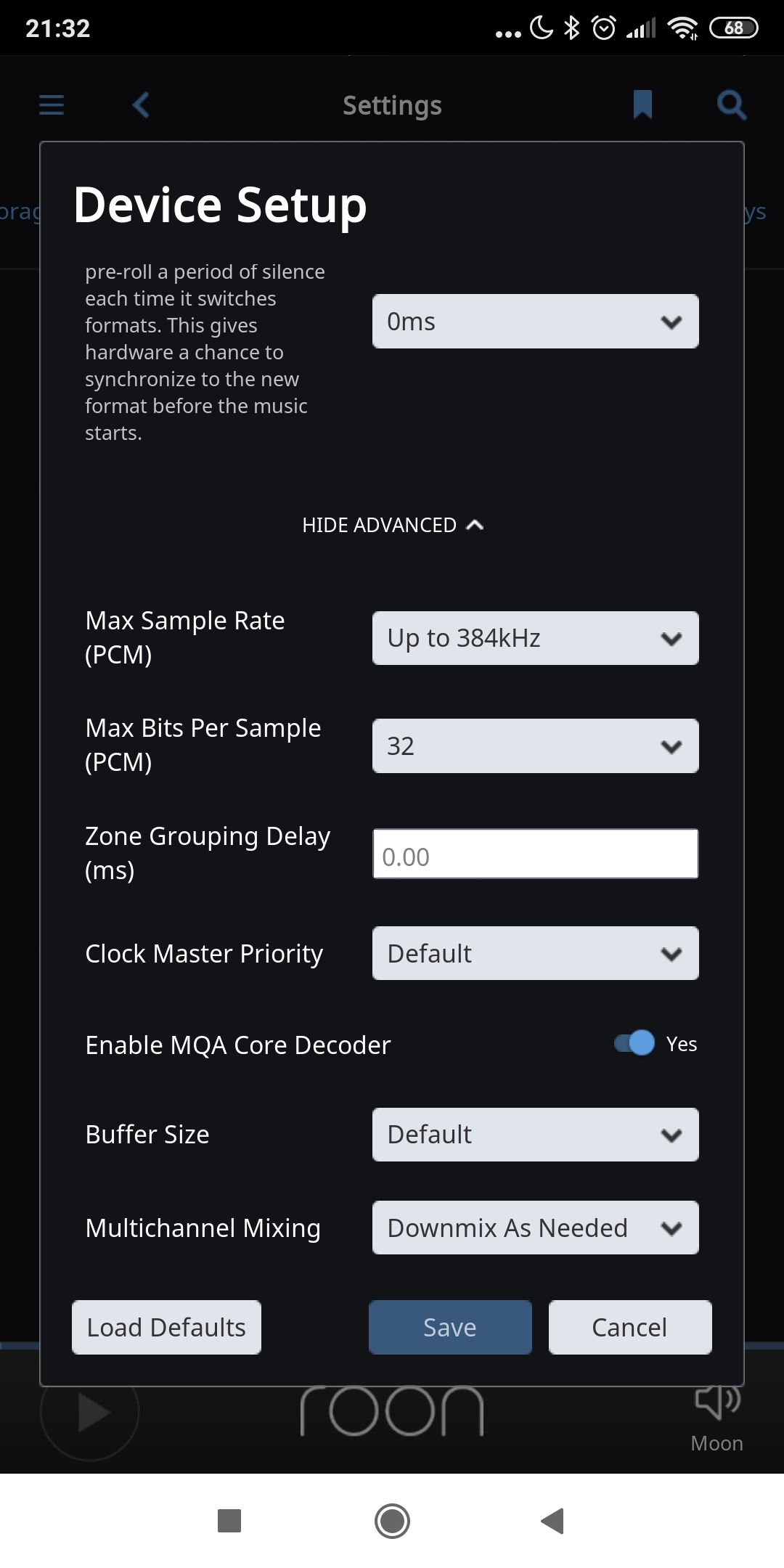
The HD version of a song can require over 6X the bandwidth of the 16/44.1Khz version. That is no small difference. And since Delta-Sigma DACs use statistical error correction they would benefit from insane amounts of upsampling whereas R-2R DACs would only benefit from modest upsampling.
Then there's a matter of the optimal file format: Delta-Sigma DACs are native to DSD whereas R-2R DACs are native to PCM. Each type of DAC will sound better decoding their native file format.
These factors make the benefits of HD streaming, upsampling, and specific file formats, system dependent.
#9 Switches vs Filters:
There are components which go between your modem and your streamer that can improve sonic performance. Some are passive filters, like the Network Acoustics ENO and Muon that remove noise and DC offset from the data stream. Others are active components that buffer and regenerate the data.
Often people misunderstand what each component actually does to improve sound quality. Neither of these devices error correct so neither of these devices are able to repair data corruption. What both do is clean up the waveform to minimize the potential for data to be misread by the next component. A filter cannot improve the definition of the digital waveform. All it does is removes things that are unwanted. Routers and switches buffer and regenerate the waveform cleaning up and restructuring the data with better definition. They will misread noise and corrupted data and regenerate a well-formed but incorrect data stream.
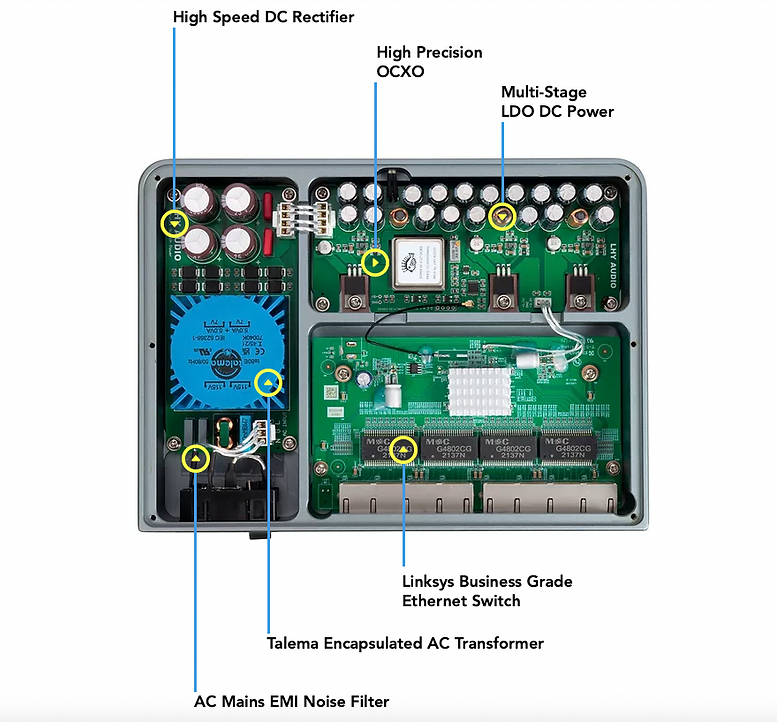
Routers and switches can correct things that than passive filters can't. And passive filters can correct things that active devices can't. Depending on the specific type of data corruption and noise in your data stream you may benefit more from one, the other, or both of these devices.
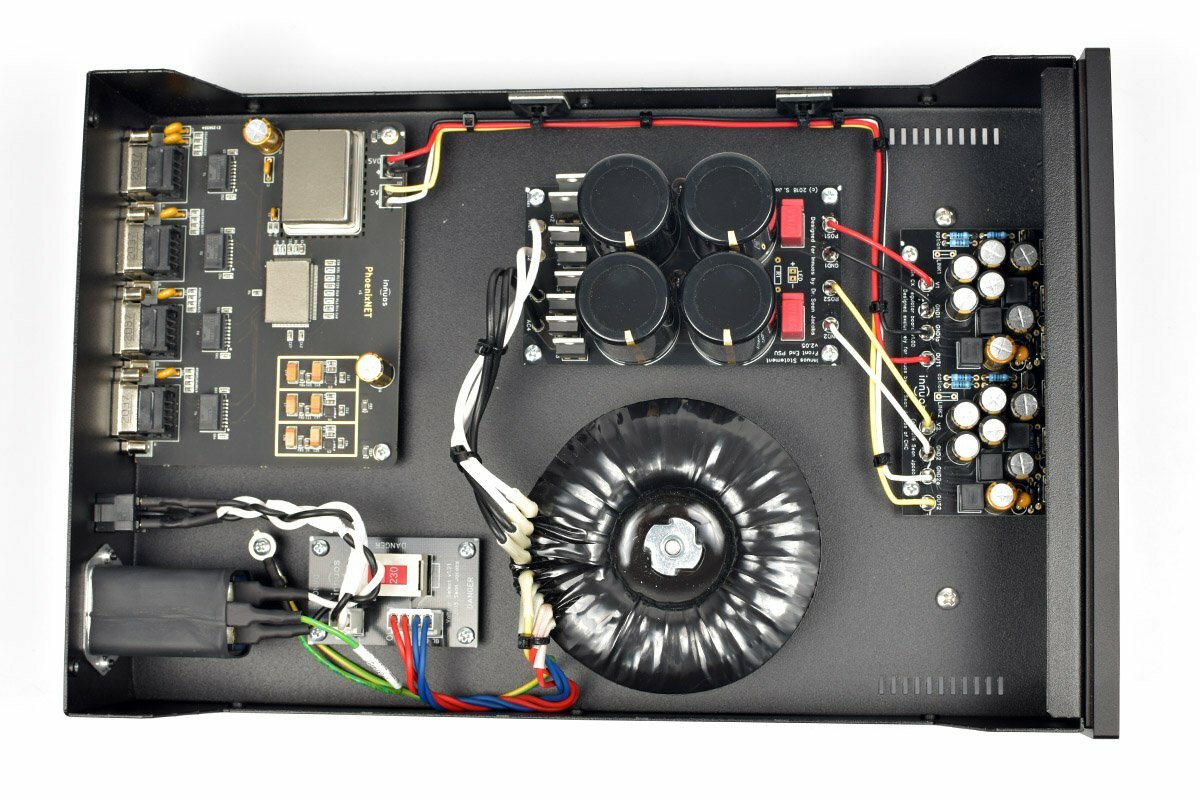
The function of a router or switch is to direct the signal to multiple end points. They have one input and more than one output. A common misconception is that audiophile routers and switches improve system performance. That would depend on the specific router or switch and the specific components preceding or following it. If the preceding or following components are higher performance the router or switch would degrade rather than improve performance.
Unless you have audio systems in multiple rooms you might want to consider a device that has one input and one output such as an Ethernet filter or reclocker. During the process of buffering and regenerating the data the clocking is also regenerated. Any component that buffers data also regenerates and reclocks it. Just because something reclocks doesn't mean it improves the clocking.
#10 Reclocking:
The clocking frequencies used in computer and networking components are not optimized to the 44.1Khz and 48Khz multiples that are used in digital music. This is one reason audiophile switches and reclockers will improve sound quality. Another reason is reduced clocking noise.
Despite what some manufacturers may claim, you can’t hear the difference between the .005% accurate clocks used in consumer grade components and the .000005% accurate clocks used in audiophile components. What you can hear is the different types and levels of noise different clocks generate.
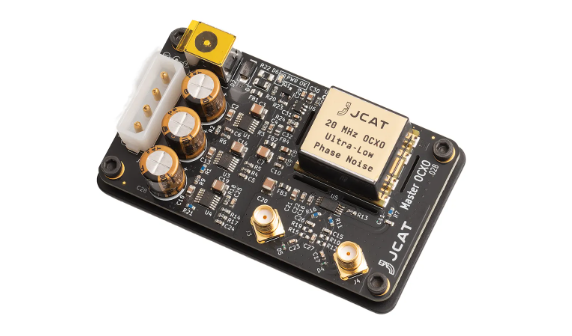
All clocks create hash and radiant noise. You may not be able to hear the difference between .005% and .000005% accuracy, but you can hear when hash noise is reduced to inaudible levels and radiant noise is shielded by the oven in an oven-controlled crystal oscillator (OCXO).
Many high-end audio manufacturers now offer high-performance OCXO clocks with their Ethernet, USB, I2S, and optical components. In addition to components with high-performance OCXO clocks, there are several companies making computer cards for USB, Ethernet, I2S, S/PDIF, and optical connectivity with the same audiophile clocking. These cards allow you to integrate this same level of performance into a modular streamer that will rival the best-of-the-best audiophile components.
Check out our blog on "Music Streaming without a Rat's Net" to show you how to integrate routers, switches, reclockers, isolators, master clocks, and power supplies, all into one elegant chassis. Would you rather have several components networked together with a rat’s nest of data and power cables, or just one component between your modem and your DAC?
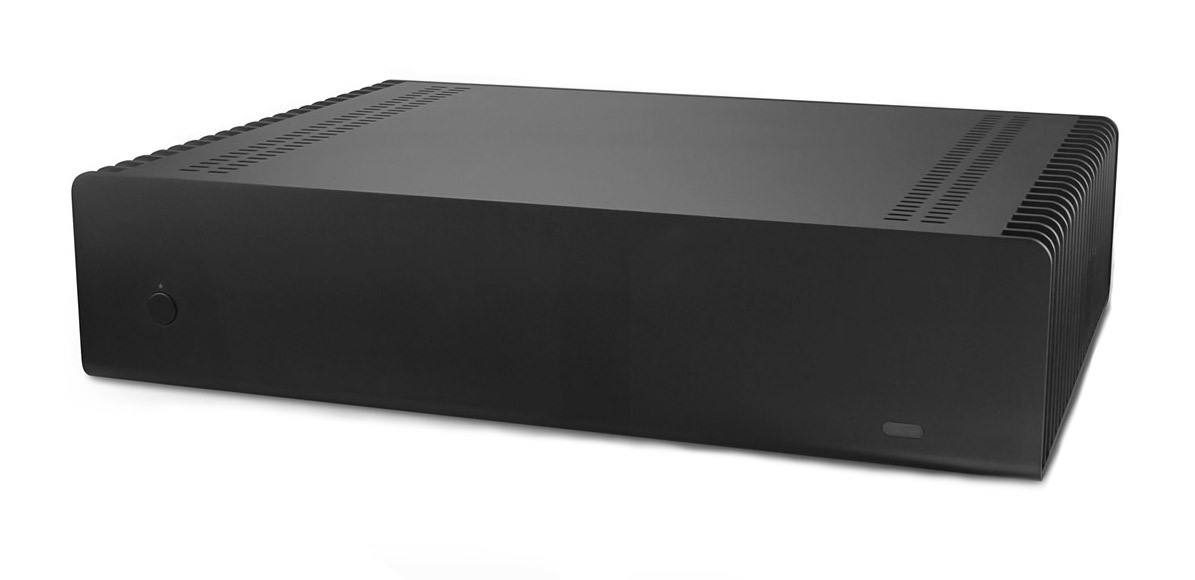
Granted, having a multi-component multi-power supply networked system gives you easy plug-and-play upgrade options. But what do you think would sound better: a bunch of different components going though a rat's nest of cables, connectors, output transmitters, and input receivers. Or a modular single-chassis streamer where everything is directly connected through the main data buss of a computer?
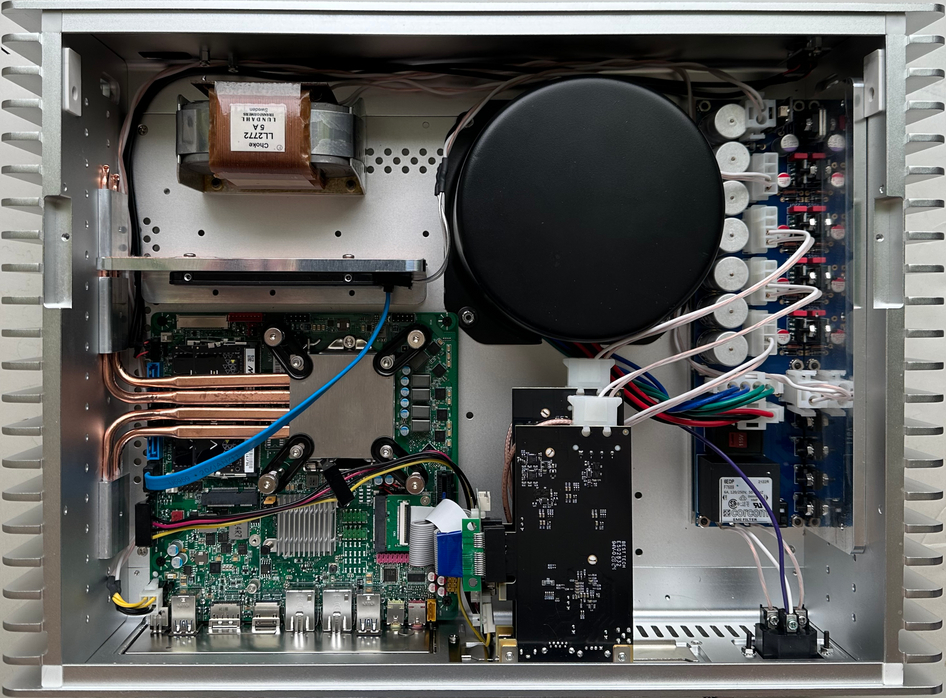
Mojo Audio has several DIY and turn-key options to meet the needs of audiophiles of any budget or level of technical expertise. Versatile, upgradable, and obsolete proof. Something to consider.
A One Chassis Solution:
Rember where I mentioned the difference between multi-chassis and one chassis solutions?
Mojo Audio has several DIY and turn-key options for you.
The "One Box Wonder" is not an appliance, it's a modular system.
Our new Illuminati power supply module is engineered to utilize the existing heat sinks on the Streacom FC10 fanless chassis. With five independent linear power supplies you can isolate the power to your motherboard, SSDs, high-performance Ethernet cards, high-performance USB cards, and master clock.
Choose from the best-of-the-best cards, clocks, and modules for USB, Ethernet, I2S, AES/EBU, or optical, from companies like JCAT, SOtM, Sonare, M2 Tech, Pink Faun, After Dark, RME, and Lynx.
And use any Windows or Linux compatible software from companies like Roon, HQ Player, JRiver, Euphony Stylus, Audiophile Linux, JPlay, Tidal, Qobuz, and more.
Elegant. Versatile. Obsolete proof.
Hear it for yourself
Mojo Audio’s Mystique DACs have the purest digital conversion possible.
Our ultra-purist approach gives our Mystique DACs the organic character for which they are so famous. Tone and timbre that rivals the best of analog. Effortless micro-dynamics and incredible micro-details reveal previously unheard harmonics and spatial cues. A sense of breath and flesh that bring your music to life.
And with Mojo Audio’s 45-day no-risk audition, you can hear the Mystique for yourself, in your own system.
Want to learn more?
If you like what you've read check out my other blogs.
And sign up for our e-newsletter.
Enjoy!
Benjamin Zwickel
Owner, Mojo Audio